This demo form requires the Calculator Add-on.
Perhaps you require the option to have a time picker that is always 6 hours in the future. This is possible with the Calculator Add-on, and the latest version of Super Forms. You can add a time picker which has the option enabled to retrieve the current time. This will then be passed into a calculator, which will return the epoch timestamp of the current time.
Now you can easily add an additional 6 hours to this timestamp. The math to do this would look like this:
({current_time}/1000)+(3600*6)
Now you will have the final timestamp, which you can pass to your final Time picker element. by using the {tag} system. In this case you will set the tag inside the The time that should appear first in the dropdown list (Minimum Time) setting of the final Time picker element.
Below you can find an example form code to get you started.
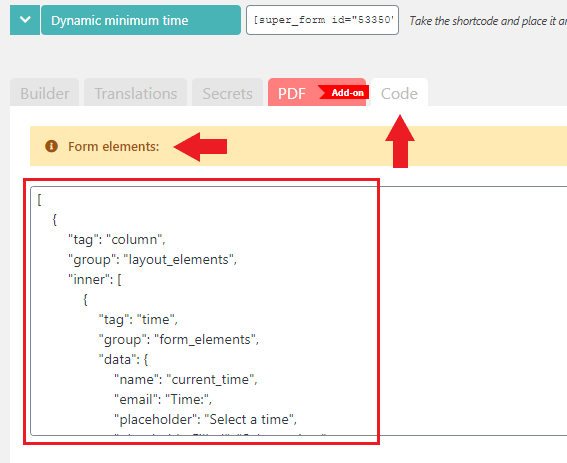
Importing the example form is easy, simply create a new form, then go to the "Code" TAB and under "Form elements:" paste the below code and click the Update all button at the bottom of the page.
[
    {
        "tag": "column",
        "group": "layout_elements",
        "inner": [
            {
                "tag": "time",
                "group": "form_elements",
                "data": {
                    "name": "current_time",
                    "email": "Time:",
                    "placeholder": "Select a time",
                    "placeholderFilled": "Select a time",
                    "current_time": "true",
                    "icon": "clock;far"
                }
            },
            {
                "tag": "calculator",
                "group": "form_elements",
                "data": {
                    "name": "six_hours_in_future_timestamp",
                    "email": "Subtotal:",
                    "math": "({current_time}/1000)+(3600*6)",
                    "decimals": "0",
                    "icon": "calculator"
                }
            },
            {
                "tag": "html",
                "group": "html_elements",
                "data": {
                    "html": "current_time: {current_time}\nsix_hours_in_future_timestamp: {six_hours_in_future_timestamp}"
                }
            }
        ],
        "data": {
            "invisible": "true",
            "label": "Hidden Column"
        }
    },
    {
        "tag": "time",
        "group": "form_elements",
        "data": {
            "name": "time",
            "email": "Time:",
            "placeholder": "Select a time",
            "placeholderFilled": "Select a time",
            "minlength": "{six_hours_in_future_timestamp}",
            "icon": "clock;far"
        }
    }
]
Comments
0 comments
Please sign in to leave a comment.