- Secure file uploads
- Automatically delete uploaded files from server
- Delete associated files after deleting a contact entry
Secure file uploads
By default Super Forms will not display files uploaded through any of your forms inside the WordPress Media Library.
When you update to Super Forms v4.9.500+ any files that were previously uploaded will no longer be visible in the Media Library.
If you require these to be visible you will have to go to Super Forms > Settings > File Upload Settings and uncheck Do not show file uploads in the Media Library.
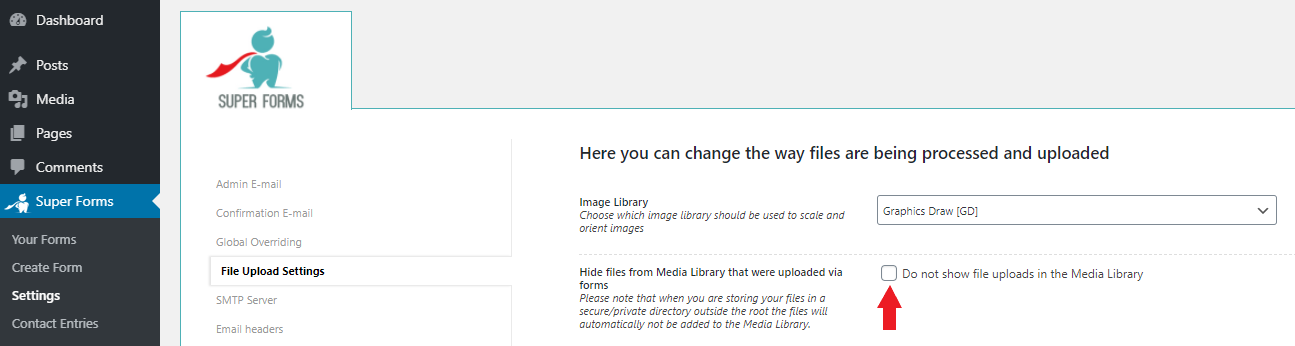
If you want to store your files securely you will have to make sure that the files are uploaded outside the root folder of your site. To do this you by defining a custom upload path relative to your site root directory.
Example upload directories
Examples for secure file upload directories are:
../my-private-dir to store files just one directory above your site root
../../my-private-dir in case your site is running inside a subdirectory in your root
NOTE: On some servers it isn't possible for Super Forms to create the private directory due to permissions, in that case contact your provider for a solution.
Examples for public file upload directories are:
my-public-dir upload folder directly inside the root of your site
subdir/my-public-dir upload folder inside a subdirectory in the root of your site
The default directory that Super Forms uses out of the box is:
wp-content/uploads/superforms
Automatically delete uploaded files from server
You can optionally delete any uploaded files automatically from your server after a form submission via by enabling Delete files from server after the form was submitted.
Any E-mails will still contain the file as an attachment (unless you defined to exclude the file from emails on the file upload element itself) but will no longer be stored on your server.
Delete associated files after deleting a contact entry
To automatically delete any associated files from the server after deleting a Contact Entry you can enable Delete associated files after deleting a Contact Entry.
Comments
0 comments
Please sign in to leave a comment.