When using a Date (datepicker) element, you might need to change the format that suits your country/region format.
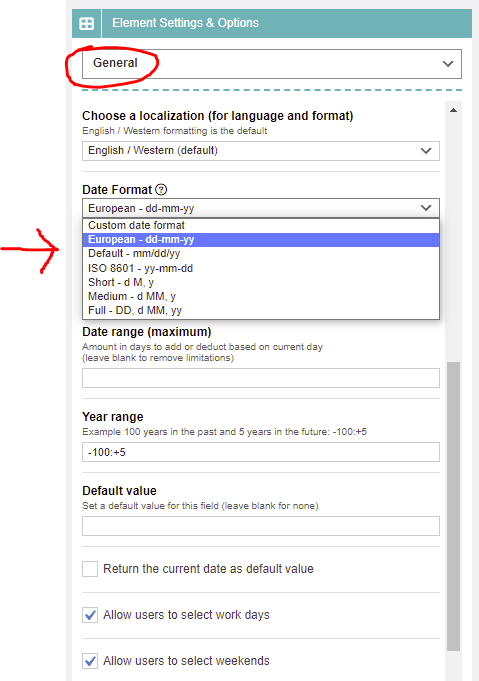
Simply edit the element and scroll down to the Date Format setting under General section like shown in the below picture.
Optionally you can define a custom format when needed. For instance, if you only require the year, you can enter:
yy
Comments
0 comments
Please sign in to leave a comment.