This article explains how to import a single form. For exporting please visit the Exporting a single form article.
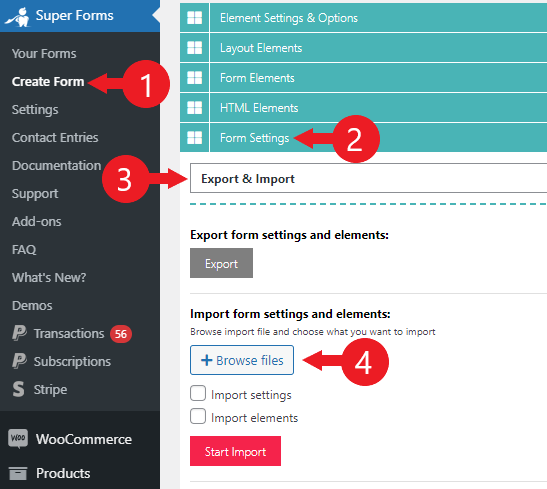
- Go to "Super Forms > Create Form"
- Click the the "Form Settings" section
- Choose "Export & Import" from the dropdown
- Click "Browse files"
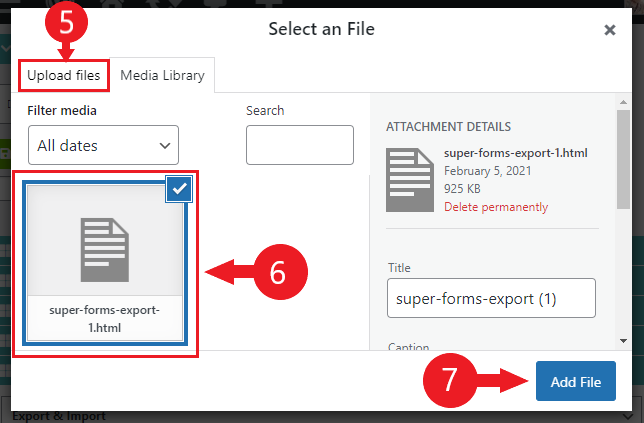
- Search the import file on your local computer, and upload it under the "Upload files" tab
- Select the import file
- Click "Add File"
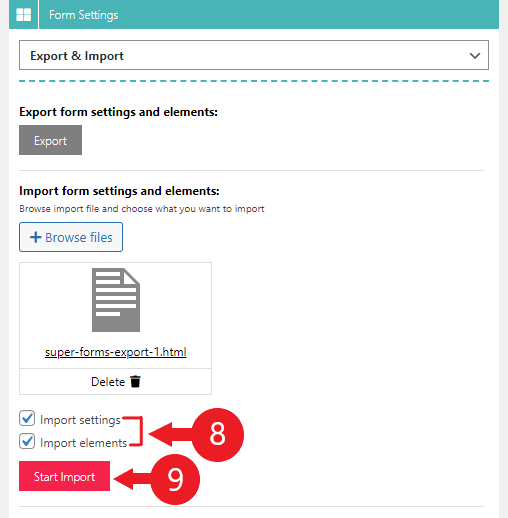
- Select to import both the settings and elements of the form (unless you require otherwise)
- Click "Start Import"
After the import is completed, the page will refresh automatically.
You should now see the exact same form.
Comments
0 comments
Please sign in to leave a comment.