This article explains how to export a single form. For importing please visit the Importing a single form article.
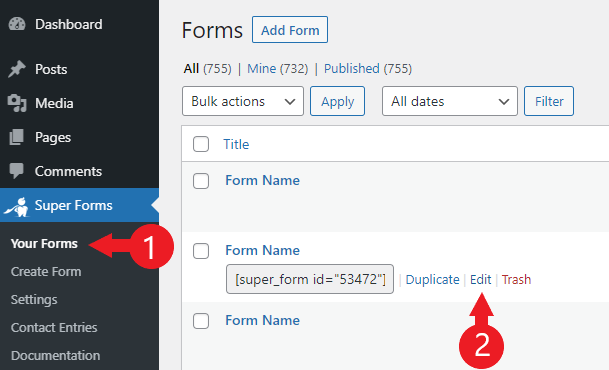
- Go to "Super Forms > Your Forms"
- Click the "Edit" button for the form in question
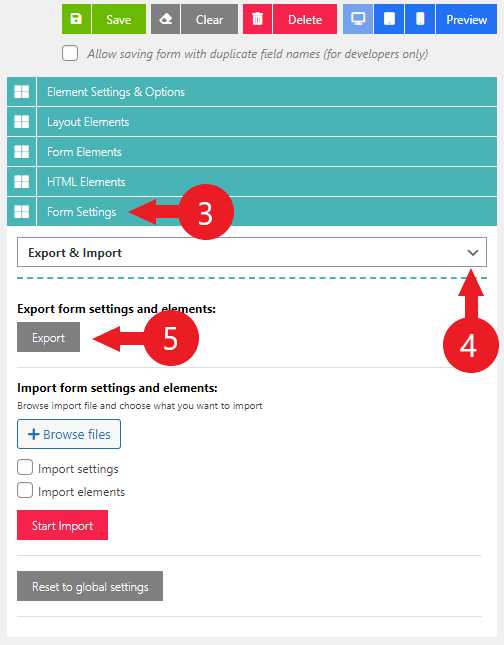
- Click the the "Form Settings" section
- Choose "Export & Import" from the dropdown
- Click "Export"
A file should now be downloaded. This file can now be used to import the form on a different WordPress installation. You can also edit the file with a text editor if you require to do some replacements.
Comments
0 comments
Please sign in to leave a comment.